

✍️ Introduction
I’ve been testing software subscriptions for over a decade, and very few survive on my Mac past the first invoice. Setapp is one that did. I’ve been a paying subscriber since September 2025, MacBook Pro and iPhone.
The pitch sounds too generous to be real: one monthly fee unlocks 270+ premium Mac and iOS apps, including some of the most respected names in the macOS ecosystem. No ads, no in-app purchases, no separate license keys to track.
In this review, I’ll walk through exactly what you get, which apps are actually worth using, what Setapp costs vs buying everything individually, where it falls short, and who should and shouldn’t subscribe.
What is Setapp
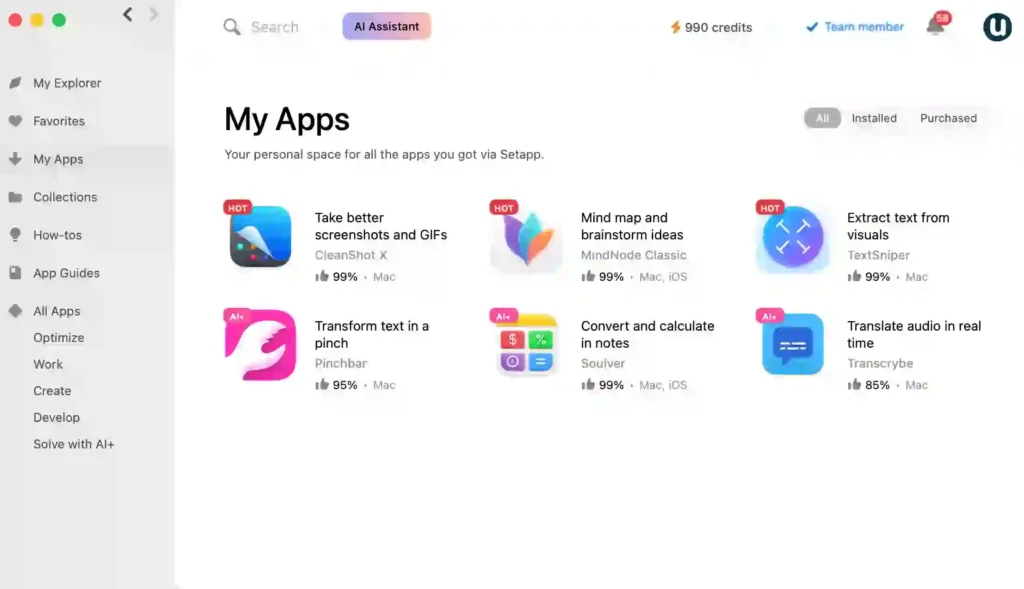
Setapp is a subscription-based app marketplace built by MacPaw, the software company behind CleanMyMac, Gemini, and other well-known Mac utilities. It launched in January 2017 and has grown into the most established curated app subscription service for the Apple ecosystem.
Instead of buying individual apps from the Mac App Store or developer sites — paying $40 here, $59 there, and another $19.99 there — you pay one flat monthly fee and get the entire curated library. Updates are included. New apps are added regularly. There are no ads inside any of the apps, and no upsells once you’re in.
It’s the closest thing the Mac ecosystem has to a “Netflix for apps,” and it’s been operating long enough that the model is clearly stable, not a startup experiment. When I first subscribed, the library had around 240 apps — today it’s 270+ and growing, which is one of the reasons I’ve stayed paying for it. A subscription catalog that keeps adding quality apps tells you the service is healthy, not coasting.
✨ Key Features of Setapp
- 270+ curated Premium Apps – across productivity, writing, development, design, system maintenance, AI, finance, and lifestyle
- Single Subscription unlocks everything — no individual purchases, no premium tiers within apps
- macOS, iOS, and web access depending on your plan
- Free, automatic updates for every app, including major version upgrades
- No ads, no in-app purchases, no upsells in any Setapp app
- AI tools built in — Setapp’s AI category includes integrated assistants with bundled credits on certain plans
- Curated, not crowded — every app passes MacPaw’s review process
- 7-day free trial, But credit card required
- Works across 2 Macs on the standard plan, plus iOS devices on the Mac+iOS plan
- Curated Library – Apps are vetted for quality and updated regularly.
- Cost Savings – Replace multiple paid apps with one affordable plan.
Because new apps are added frequently, users always have fresh tools to improve productivity.
🎯 Who Should Use Setapp?
Setapp is especially useful for:
- Freelancers & Entrepreneurs – Access professional-grade productivity and design tools.
- Students – Affordable access to writing, studying, and coding apps.
- Business Teams – Use Setapp’s team plans to provide apps to staff.
- Tech-Savvy Users – Explore a wide collection without extra cost.
🧪 How Setapp Works
Using Setapp is simple. Users subscribe to the service, download the Setapp desktop app, and instantly access its library. Apps can be installed with a single click and updated automatically. Unlike app stores, there are no hidden costs, ads, or trial limitations.
💰 Setapp Pricing in 2026 — All Plans Explained
Setapp offers flexible pricing:
| Plan | Price (monthly) | Devices | Best for |
| Mac | $9.99/month + Tax | 1 Mac | Solo Mac users |
| Mac + iOS | $12.49/month + Tax | 1 Mac + iOS devices | Cross-platform Apple users |
| Power User | $14.99/mo + Tax | 4 Macs + 4 iOS devices | Apple ecosystem enthusiasts |
| AI Enthusiast | $14.99/mo + Tax | 1 Mac + AI 3750 credits | AI users |
| AI Expert | $23.99/mo + Tax | 4 Macs 4 iOS devices+7500 credits per month | Heavy AI users looking for daily support |
I use the AI Enthusiast plan because I have a MacBook Pro and an iPhone with AI requirements with ai requirements
All plans come with a free 7-day trial, letting users test the apps before committing.
My Personal Experience
Most of my week runs through a MacBook Pro and an iPhone, and Setapp apps sit in the middle of it — CleanShot X for client screenshots, Bartender to keep a 14″ menu bar usable, iStat Menus, Paste. I stopped thinking of them as “Setapp apps” within about a week. They’re just part of the machine now.
The friction I’ve hit has been in the newer AI layer rather than the core apps. While running an AI fact-check inside Pinchbar, the request came back empty:
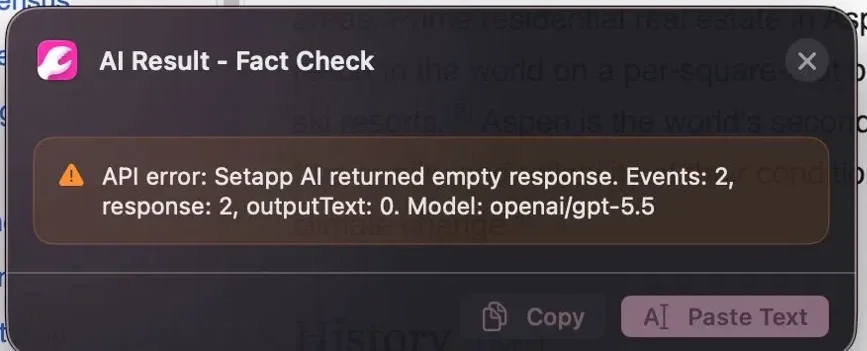
Two retries before it completed. I reported it to MacPaw support and had a reply within two days confirming they’d fixed it on their end:
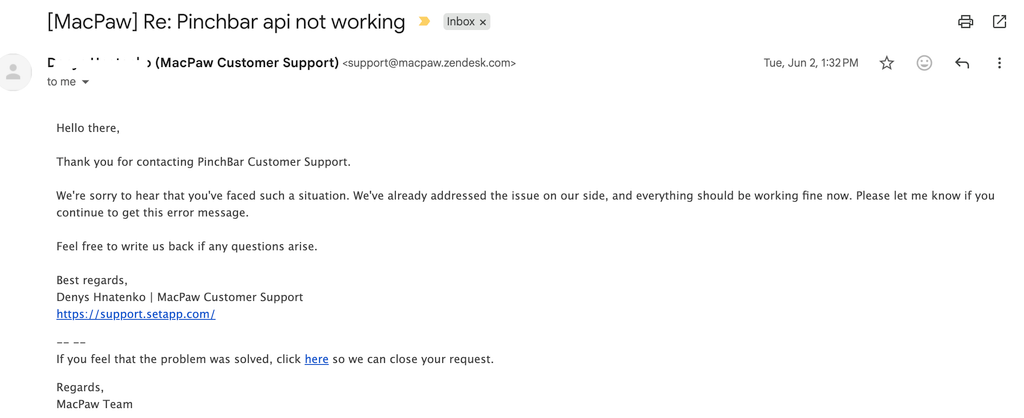
That turnaround is worth knowing about. The AI features are newer and less stable than the rest of the platform — but when something breaks, the team responds. Both facts belong in an honest review.
🧠 Final Verdict: Is Setapp Worth It?
I’ve been a paying Setapp subscriber since September 2025 and currently pay for the AI Enthusiast plan at $14.99/month because most of my work on URL Care involves AI-assisted research, writing, and tool reviews. In that time I’ve watched the catalog grow from 240 to 270+ apps, watched the platform survive several macOS releases without major incidents, and used it heavily enough to hit real friction — like the Pinchbar AI fact-check returning an empty response mid-task. The platform isn’t perfect. It’s just better, by a wide margin, than every alternative I’ve tested.
The 2026 verdict needs an asterisk this year, though, because Setapp is no longer just a membership. In a recent MacVoices interview, MacPaw’s Head of Business Development Maria confirmed that they’ve quietly launched a “Beyond Membership” marketplace where you can now buy individual apps as one-time lifetime licenses or separate subscriptions, all managed inside the same Setapp account. The revenue split favors developers heavily — 85% to the developer, 15% to Setapp — which is roughly twice as good as Apple’s standard App Store terms.
This matters for two reasons. First, if there’s a single specialty app you want and you don’t care about the membership, Setapp is now a legitimate alternative to the Mac App Store. Second, it tells you the platform is healthy: developers want to be on Setapp even outside the membership model. That’s a vote of confidence from the supply side that I don’t see for most “Netflix for X” services.
The other quietly significant 2026 development is Setapp’s AI Gateway — a back-end that lets developers plug their apps into OpenAI, Claude, and Google models without building their own infrastructure, billing, or token systems. For me as a user, that translates to “AI features work without me having to bring my own API key.” It’s why the AI features inside Setapp apps are getting better quickly, even if (as my Pinchbar example showed) they’re not yet bulletproof.
Who should subscribe
If you’re a Mac and iPhone user who already pays for two or three premium apps separately — and especially if you fit the freelancer, designer, developer, writer, or student profile — Setapp is one of the few software subscriptions I recommend without hesitation. The math is the simplest argument: three premium Mac apps a year and it’s already cheaper. Beyond the dollar savings, the time saved on license management — no vault of activation keys, no surprise renewal emails from five different developers — is worth almost as much.
Who should skip it
Skip it if you’re on Windows or Linux. Also if your work is heavy creative production tied to Adobe or Avid. One more thing if you reject subscription pricing on principle (though now, thanks to Beyond Membership, you can buy individual apps outright on the same platform). And skip the AI Enthusiast or AI Expert tiers specifically if you’re not actually going to use AI features — the basic Mac plan at $9.99 is the right starting point for most people.
The honest bottom line
Setapp isn’t trying to replace every Mac app on your computer, and it can’t. What it does well — bundling and curating high-quality utility, productivity, design, and developer apps from mostly indie developers — it does better than anyone else in the Apple ecosystem. After a year on my own subscription, that’s enough to keep me paying.